Frontera Guide
Documents, slides, and spreadsheets
Turn a conversation into a polished deliverable, from a one-page brief to a full presentation.
Agents don't just answer; they produce finished work. The Chat home suggests the most common starting points (Draft a document, Build a spreadsheet, Create a PDF, Summarize a file), and everything an agent produces lands as a versioned artifact you can preview, present, download, and share.
Slides
Ask for a deck the way you'd brief a colleague: audience, purpose, and the story you want told.
Turn this analysis into a board-ready deck: market snapshot, trends, where our portfolio fits, the critical gaps, and a 60-day plan. Keep it under ten slides.
The result is a real presentation, not a text outline. Here is one Ava built in the demo workspace:
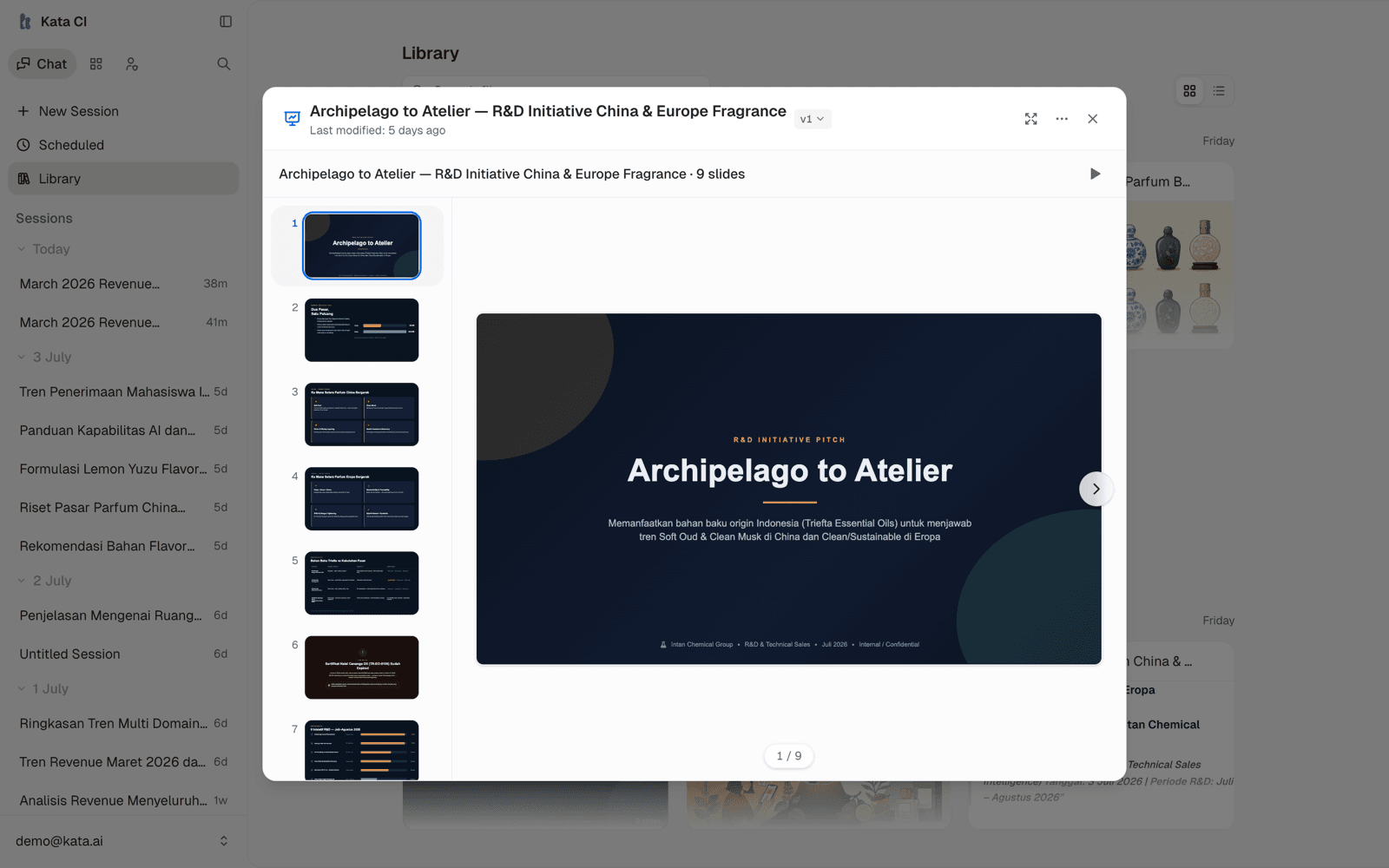
The deck preview gives you:
- A thumbnail rail to jump between slides.
- Present mode (the play button) and fullscreen for running the deck straight from Frontera.
- Versions: ask for changes ("make slide 6 a risk callout, tone down slide 2") and a new version appears, with the old one still available from the version menu.
- Download for taking the deck into your own tools.
Iterate slide by slide. "Rewrite the title slide", "merge slides 3 and 4", and "add a roadmap slide before the close" all work, because the agent edits the artifact rather than regenerating from scratch.
Documents
For briefs, memos, reports, and one-pagers, describe the audience and the format. Agents produce structured documents with headings, tables, and citations where knowledge was used, and computer-enabled agents can deliver them as formatted Word files.
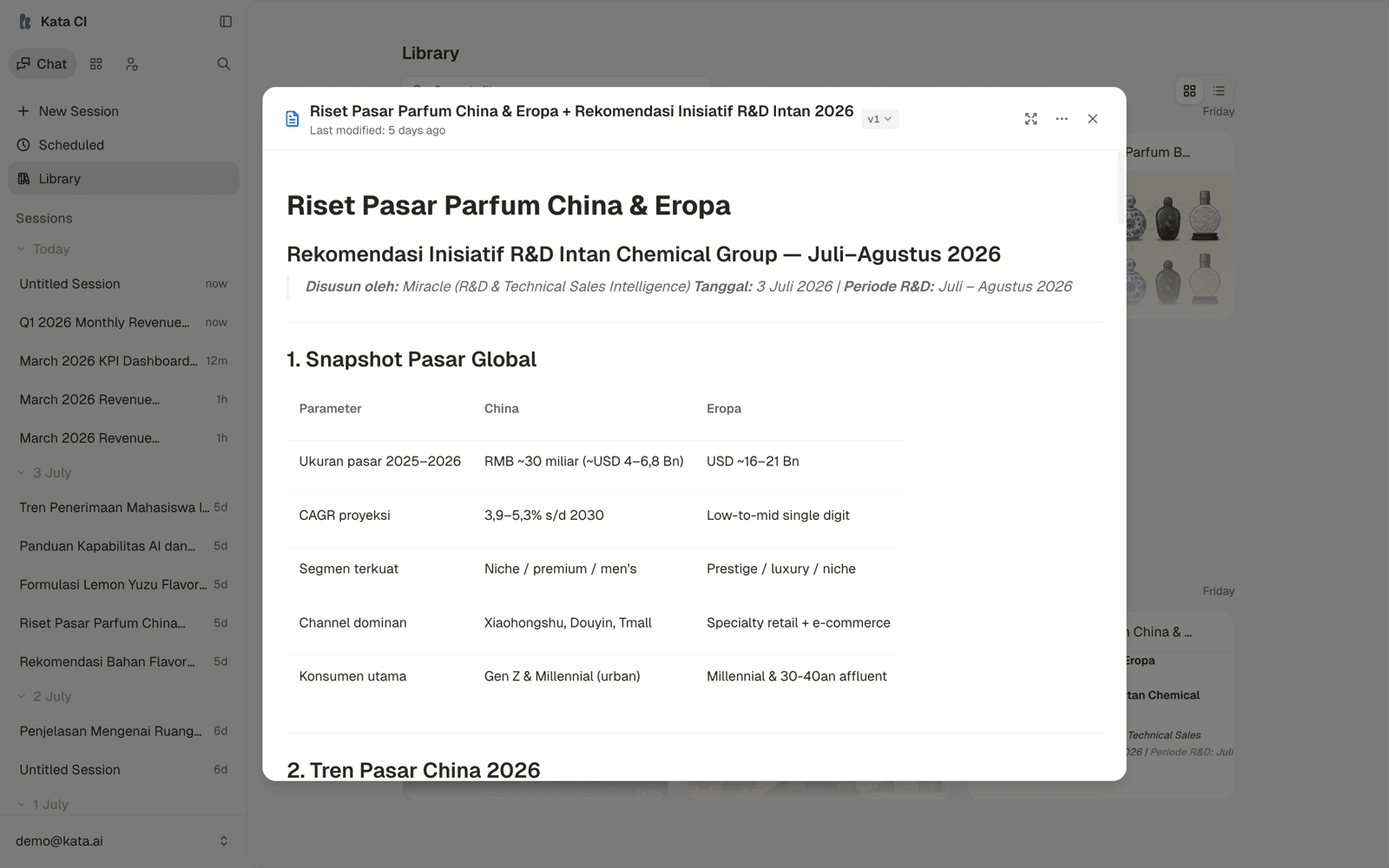
A pattern that works well for longer documents: ask for the outline first, agree on it, then ask the agent to write it out.
Spreadsheets
Ask for tabular work and you get a real table artifact: sortable, filterable, and exportable, not a wall of ASCII. Computer-enabled agents go further and produce Excel workbooks with multiple sheets and formulas.
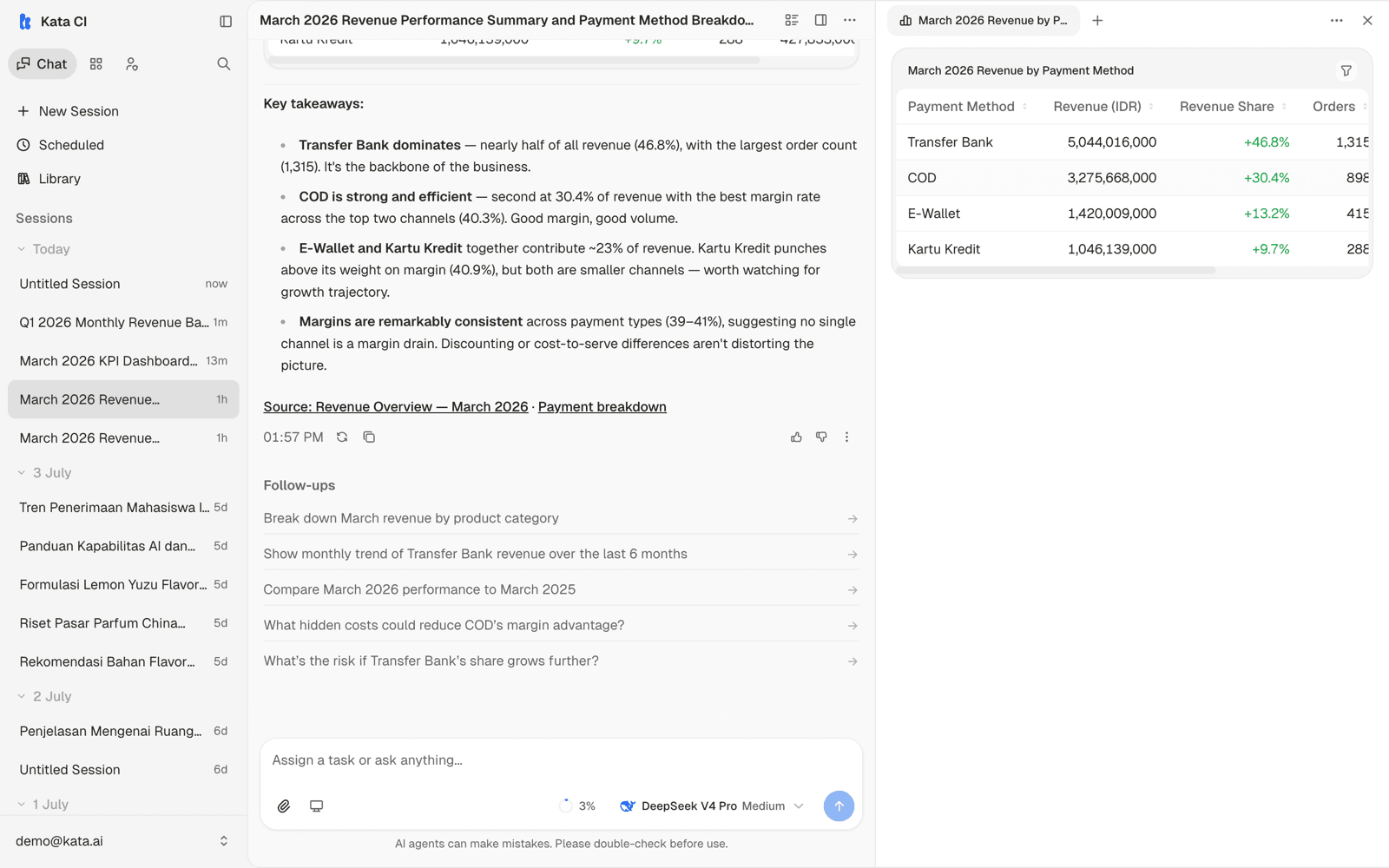
For recurring dataset-shaped work, consider a Case instead, where agents fill a live sheet row by row.
PDFs
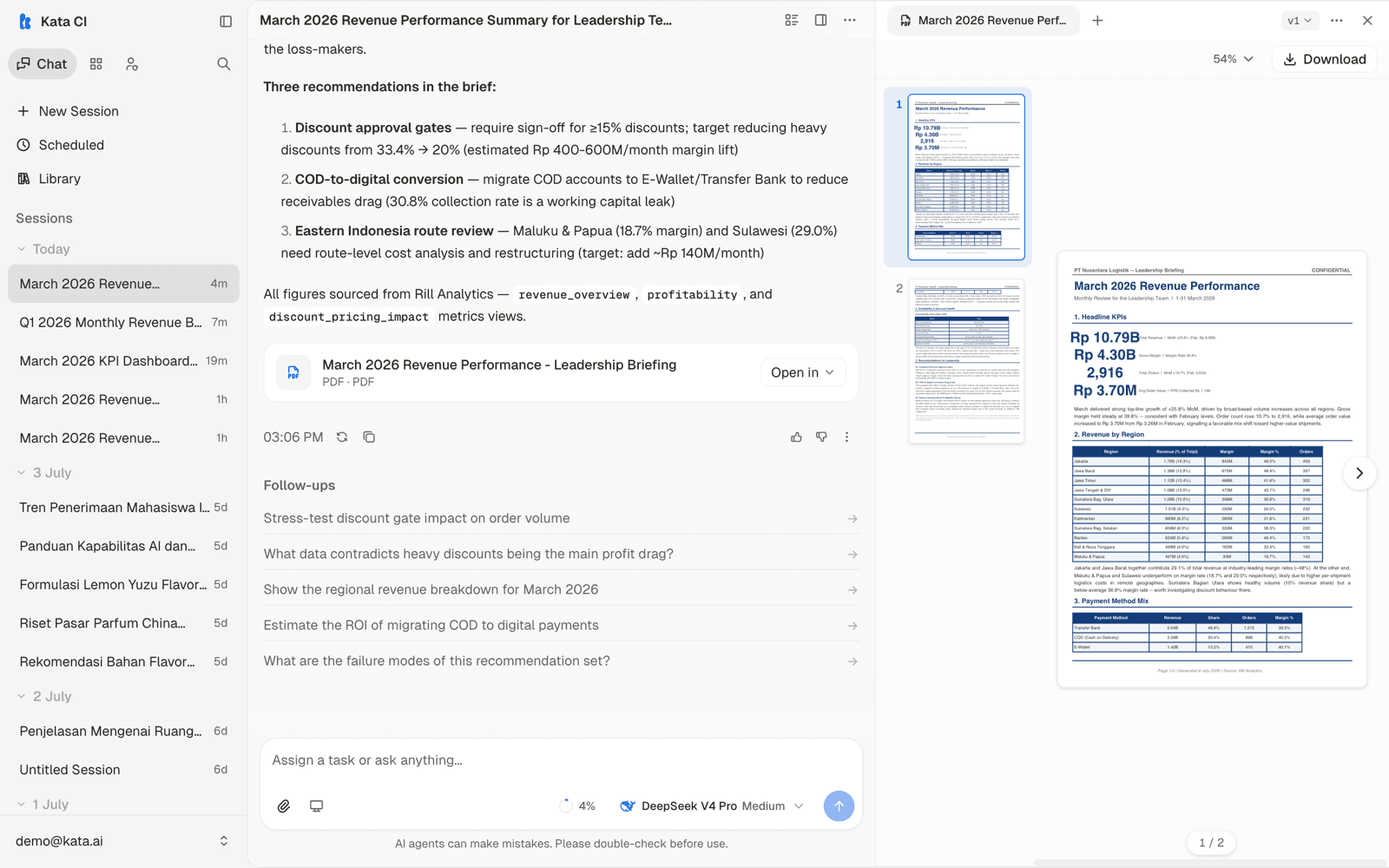
"Create a PDF" produces a print-ready document: proposals, certificates, summaries formatted for sharing outside the team. Here is Ava's two-page leadership briefing, previewed with page thumbnails, zoom, and download:
Charts and dashboards
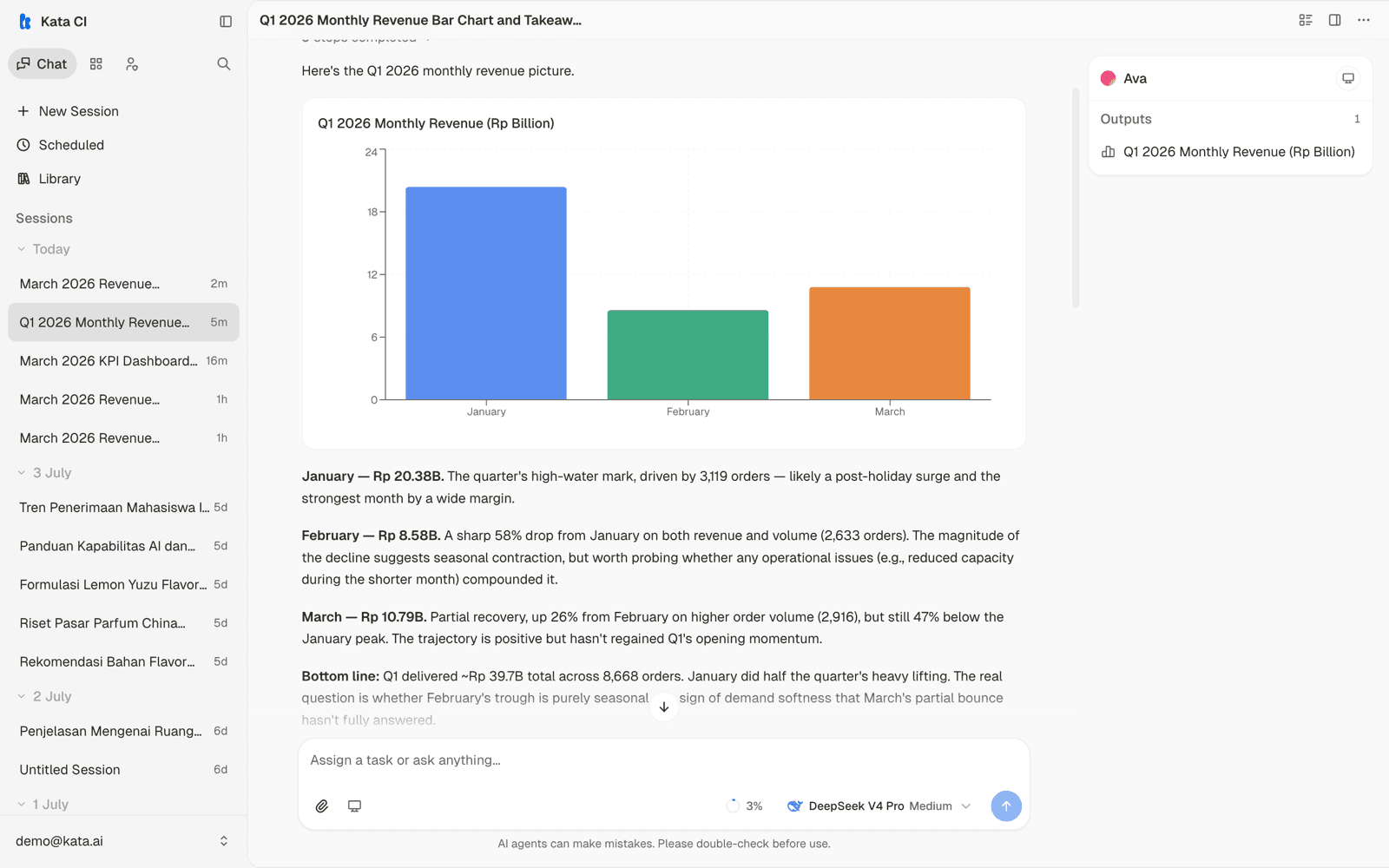
Agents with data access render charts inline: hoverable, not static pictures. Here is Ava answering "show monthly revenue for Q1 2026 as a bar chart" with a titled chart, a takeaway per month, and the source metrics linked underneath:
For a full multi-view dashboard, a computer-enabled agent can go further and build a small web app; see The agent's computer.
Images
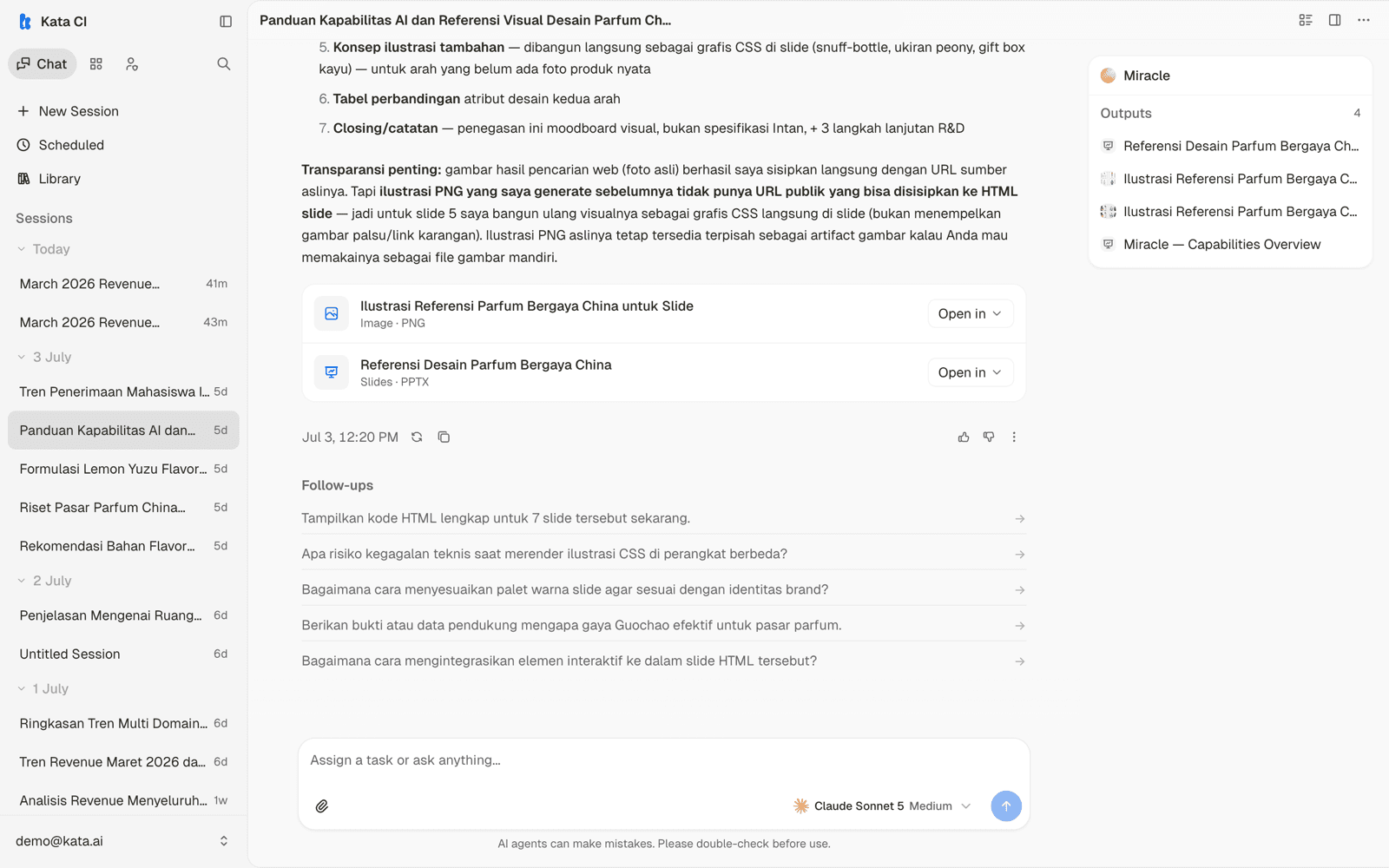
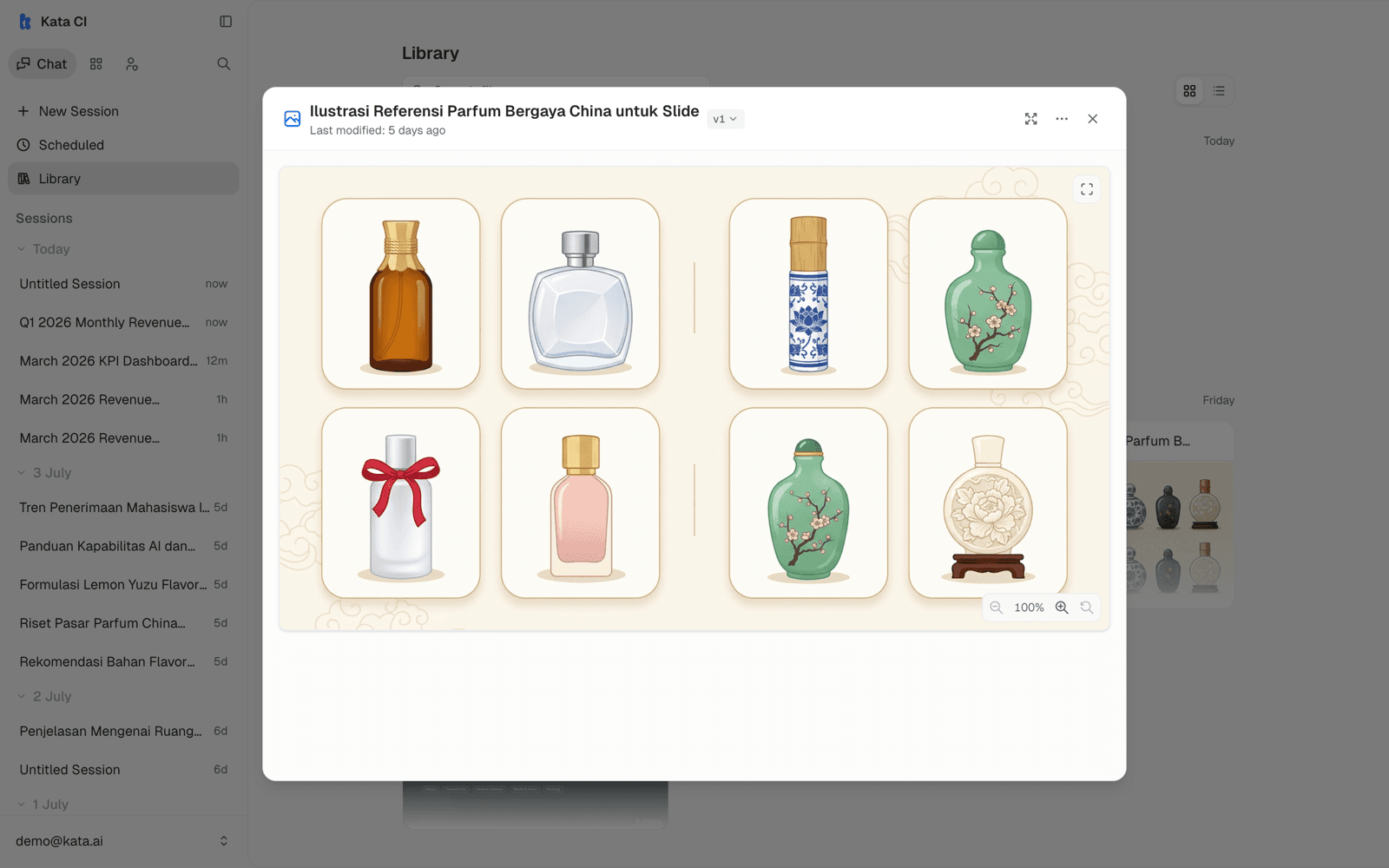
Agents with image generation enabled produce illustrations, mood boards, and visual references. In the demo workspace, Miracle produced packaging design references for a fragrance line; the images land in the conversation and the Library like any other artifact.
Where everything ends up
Every artifact appears in the conversation as a card (with its format, such as Slides · PPTX or Image · PNG, and an Open in menu), in the Outputs panel beside the conversation, and in your Library, searchable across all sessions. Nothing you make in a conversation is lost when the conversation scrolls on.